To search
Softonic Rating:
Very good:8/10
License:
Free to try
Added:
September 19, 2007
Updated:
October 5, 2007
Publisher:
Website
File size:
16.1 MB
Downloads:
50
Cyril Roger

“Open source messaging and collaboration”

by Cyril Roger

The Zimbra Desktop brings the excellent online collaboration tool right onto your computer. Although the installation process was a bit lengthy, once Zimbra Desktop was up and running, everything went smoothly. You'll have to have all your server and mail details ready to be able to configure your Zimbra account. After that's done, Zimbra will sync with your mail client and download all your mail data. This can take a certain amount of time so you'll have to be patient.

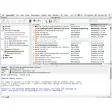
All your mailbox elements like inbox, contacts, calendar or documents will appear in a new tab in your default browser. We quite like the search feature, set at the top of the interface, which lets you quickly find anything in your items. However, probably because the application is still in Alpha, the search can be quite slow, especially if you have a large mailbox.

In terms of overall performance, Zimbra Desktop ran seamlessly whether online or offline. The application manages to sync ingoing and outgoing data well so that you really never have to worry about the state of your connection. This download also includes the Zimbra Toaster, a discreet little add-on that will pop up every now and then to notify you of any new messages. We're looking forward to further releases of this application, which should prove quite handy for professionals on the go.

Languages:

English

OS requirements for Zimbra Desktop:

  • OS: Mac OS X

Minimum requirements:

  • Mac OS X 10.4.8 or later
Pros
  • Integrates in browser
  • Doesn't feel like you're offline
  • Toaster message notifications
Cons
  • Lengthy installation and sync
  • Unstable
  • Slow search
Did you like this review?
10 of 19 users liked it (53%)

Zimbra Desktop Softonic Rating: 8Featured program

Softonic gives special recognition to software of exceptionally high quality. More information

From the publisher of Zimbra Desktop

Zimbra Desktop is the next generation leap forward for Web 2.0 applications- now you can have Zimbra's Ajax-based collaboration experience online and offline. That means when you are out of the office without a connection (say, in a plane, train, or automobile), you can keep working without missing a beat. Write email, add new appointments, edit documents and when you re-connect changes will be automatically synced to the Zimbra Server.

Zimbra Desktop is available for you to try as an alpha version. We encourage you to take it for a test drive and provide us your feedback. Current feature highlights:

  • Full email support: compose, edit, delete, reply, or make drafts online and offline
  • Fast Zimbra search including Advanced Search builder
  • Access to calendar offline
  • Support for contacts, both locally stored and GAL
  • Easy set up wizard for account configuration
  • Existing user preferences (folders, signatures, settings, etc) are imported
  • Works with ZCS 4.5+ servers
  • Fast launch with automatic, transparent sync

Posts about Zimbra Desktop in our blog

Zimbra Desktop options

Zimbra Desktop Options

Zimbra Desktop in other platforms

Softonic Rating:Very good
User Rating
Your opinion is important!

Download stats

Are you the developer of Zimbra Desktop?

If your program has received a Softonic rating, feel free to use the following award badge on your site or as part of any other promotional feature you may be putting together.

Zimbra Desktop Softonic Rating

Click on the above text field to copy the necessary HTML to your clipboard and then paste it to your website. It will display your program's Softonic Rating and will link to your program page.

Any queries? Contact us if you want more info.

Close